
What 15 recovered hours a month actually looks like.
Eight steps. One flow. This is the fractional GC workflow Sapphire Legal enables — built by someone who's actually doing the job.
- Quick answer
- How does a fractional general counsel use Sapphire Legal?
- A fractional GC opens the Portfolio Command Center, clicks into a client whose House Style is already loaded, drafts a document that the AI writes in that client's voice, saves it back into auto-organizing Smart Collections, and sends it for signature — all in under 30 seconds of real work. Uploaded client-call recordings become structured legal intelligence via Sapphire Clarity, deadlines are tracked with statutory rule sources, new clients get a branded portal in 3 minutes, and the whole system is one ⌘K keystroke away.
Open your Portfolio Command Center
Every client, every matter, every deadline visible at a glance. Pinned matters surface the ones you touch every day. Urgent actions roll up across the whole portfolio so nothing slips.
No more juggling Clio tabs or hunting through Google Drive folders. This is the single view you come back to between every phone call.
Click into a client — their House Style is already loaded
The AI knows this client's negotiation posture, hot buttons, preferred positions, non-negotiables, and approved language. No partner notes to re-read. No associate training.
Acme Corp is "aggressive, Delaware law, 12-month liability cap, no unlimited liability, EU data residency is a hot button." The AI applies all of it automatically.
Draft a document — templates or templateless, your call
You have two paths. Path one: pick a template from your library. Sapphire ships with full template support — reusable templates, field auto-population, favorites, and usage history. Path two (for when you don't have a template handy): type a plain-English prompt like "draft a mutual NDA for Acme Corp with a one-year term and Delaware governing law." The orchestrator classifies what you want (NDA, motion, contract, employment agreement, brief…), picks the matching formatting rules (margins, fonts, line spacing, section headings, signature blocks), and routes the prompt to the Qwen 14B drafting model. Either way, Acme's House Style is injected and the RAG is scoped to Acme's prior contracts.
If the templateless classifier isn't confident about the document type, it tells you before generating so you can clarify. First draft is 90% there — correct parties, correct jurisdiction, preferred language, no forbidden clauses. The path is the user's choice; the friction is gone either way.
Save to Documents — auto-organized
One click. The document auto-links to the client, auto-tags based on content, and auto-appears in every matching Smart Collection. Zero manual filing.
It shows up instantly in "Acme Contracts 2025", "All NDAs", and "Delaware Agreements" — none of which you had to build or maintain.
Send for signature — workflow continues
Signature request goes out. Timeline event recorded. Case status updates. When signed, the client notification fires and — if this was a new client onboarding — their portal is provisioned.
The whole flow happens without you opening a second tab or copying anything between tools.
Sapphire Clarity turns uploaded call recordings into legal intelligence
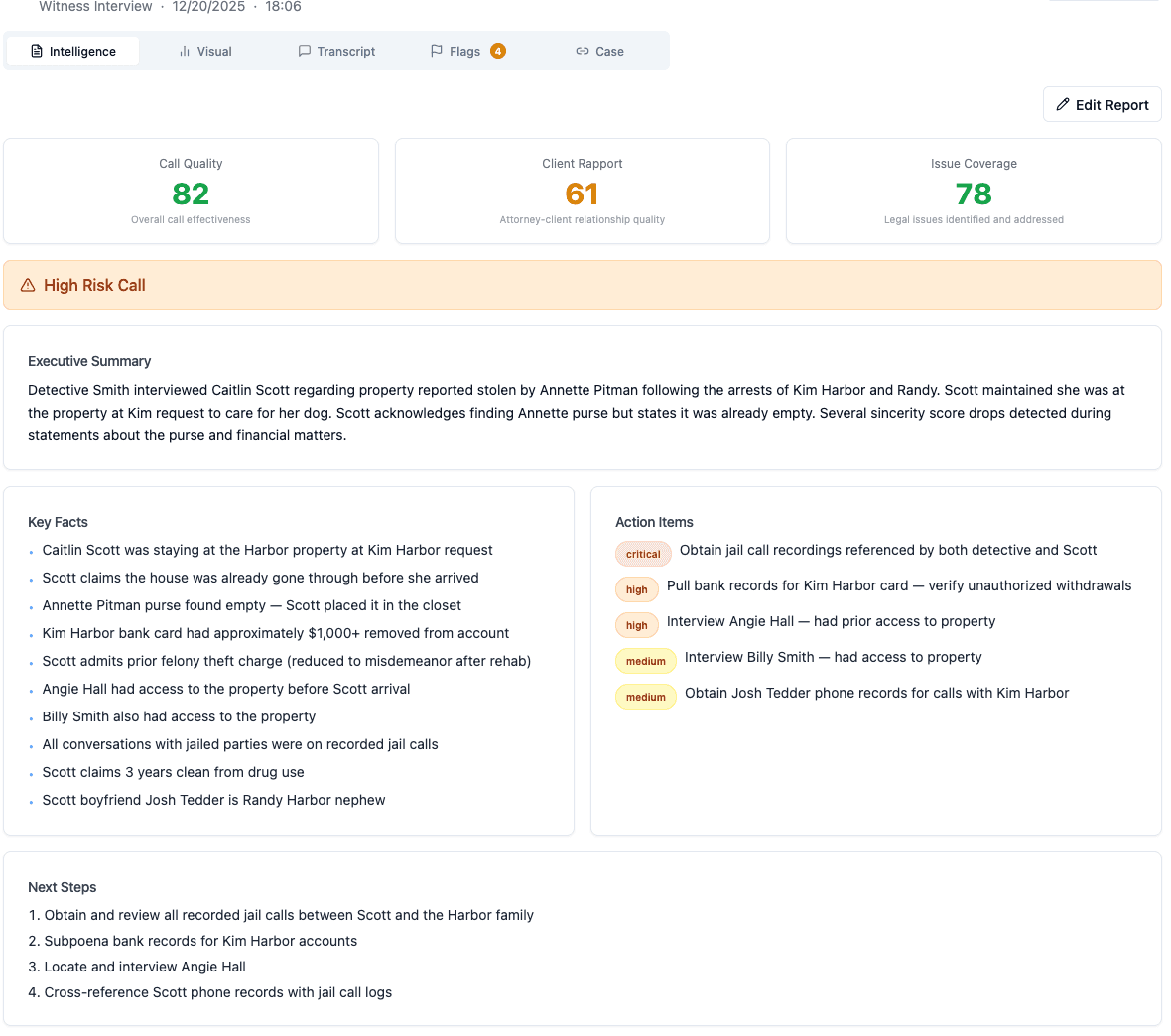
Finished a client call? Drop the recording into Clarity. It transcribes, diarizes the speakers, extracts action items, flags legal risks, and indexes the full transcript into your searchable knowledge base — purpose-built for legal, not a repurposed sales-call tool. The output: an 8-axis engagement profile (rapport, firmness, concession risk, legal issue identification…) plus severity-ranked legal flags linked to the exact moments in the transcript.
Three months later when you ask "what did we agree about force majeure?", it finds the exact moment in the transcript and cites it.
⌘K anywhere — the whole system is one keystroke away
Cmd+K opens the global command palette. Search clients, cases, documents, or call transcripts in one query. Or trigger any action: "New matter", "Log time for Acme", "Draft with AI".
It's the fastest path from "I need to do X" to "doing X" — and it's always just a keystroke away.
A new client? Portal live in 3 minutes
Sign the engagement letter and their branded portal is provisioned automatically. Database, S3 bucket, OpenSearch index, magic link email — all configured. Not 3 days. Not a support ticket.
That first impression creates word-of-mouth you can't buy. We've heard "holy shit that was fast" more times than we can count.
The whole workflow is 30 seconds.
The same work in Clio + Google Docs + spreadsheets is 15 minutes. Repeat that across a six-client portfolio and it adds up to the documented 10% of billable time recovered — about 15 hours a month, roughly $63,000 a year in capacity at $350/hour.