
The home screen for your practice.
Every client, every matter, every deadline, every urgent action — all in one view, with the context pre-loaded before you click.
- Quick answer
- What is the Portfolio Command Center?
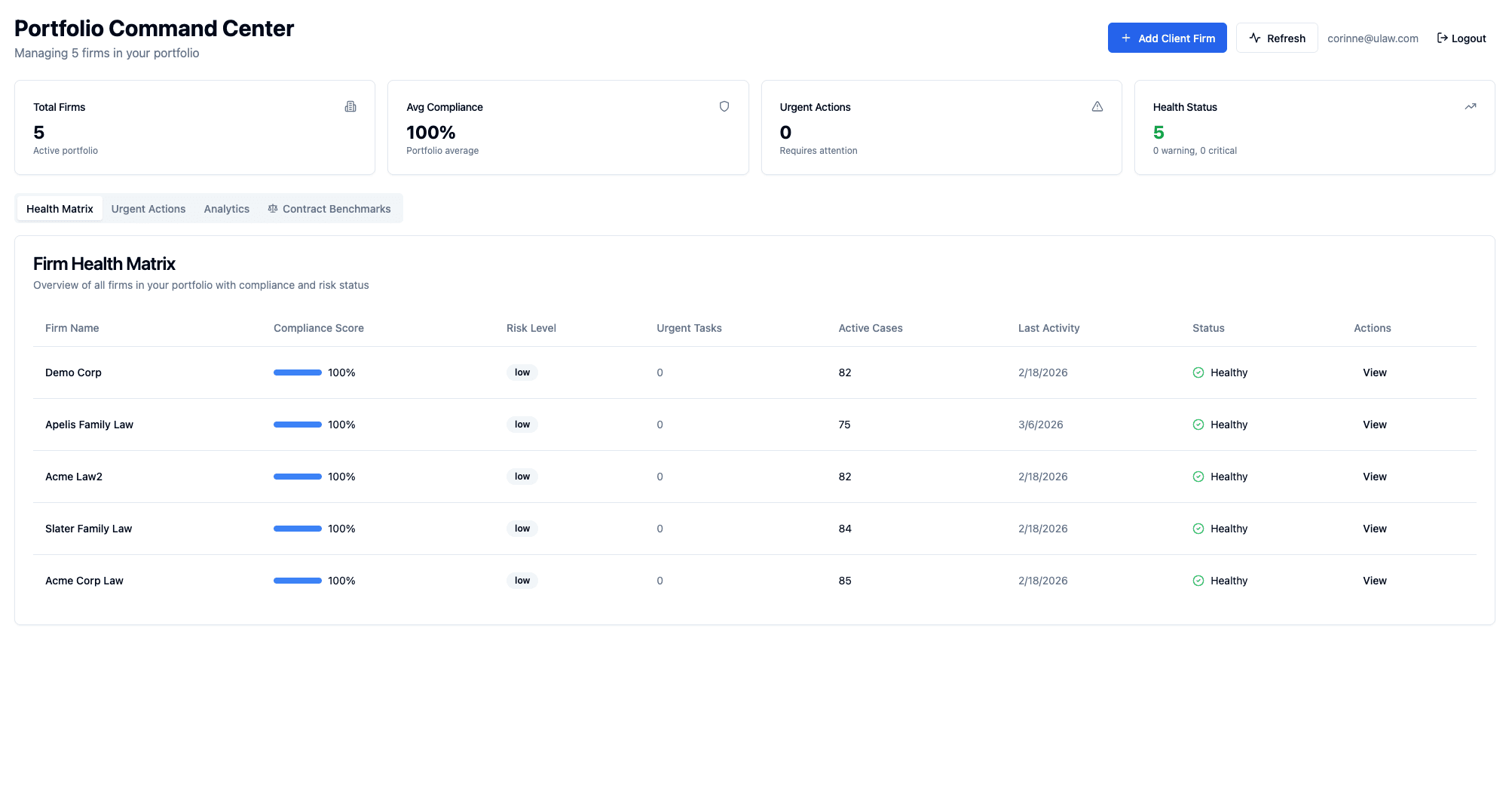
- The Portfolio Command Center is Sapphire Legal's multi-client dashboard built for fractional general counsels. It shows every client firm, every active matter, every upcoming deadline, and every urgent action in a single view — with per-client compliance scores, a firm health matrix, pinned matters, a Kanban board for active work, and context pre-loaded before you click into any client. It's the home screen an fGC returns to between every phone call.
Most legal software was built for one firm with many cases.
You're not a firm. You're a fractional GC running 3–10 client companies at the same time. Your software should show you all of them — with every signal you need — at a glance.
Six pillars, one dashboard.
Firm Health Matrix
Every client firm you manage shown as a row with compliance score, risk level, urgent tasks, active cases, and last activity. Sort, filter, click to dive in.
Global Urgent Actions Feed
A unified list of everything on fire across your portfolio. Overdue deadlines, pending signatures, expired engagement letters, critical Clarity flags — all in one queue.
Deadline Intelligence
Statutory deadlines, filing dates, discovery cutoffs, and hearings tracked per matter with rule source (FRCP 26(a), CCP §335.1) and urgency coloring — so you never miss one.
Pinned Matters
Pin the 3–5 matters you touch every day. They're always at the top of your dashboard, one click away, no scrolling through a long list.
Recently Viewed
Context recovery in one click. Your last 10 matters show up on the dashboard so you can resume exactly where you left off between phone calls.
Case Team View
See who's assigned to what — lead, co-counsel, paralegal, support. Essential when you're coordinating across multiple clients and need to know who's doing what.
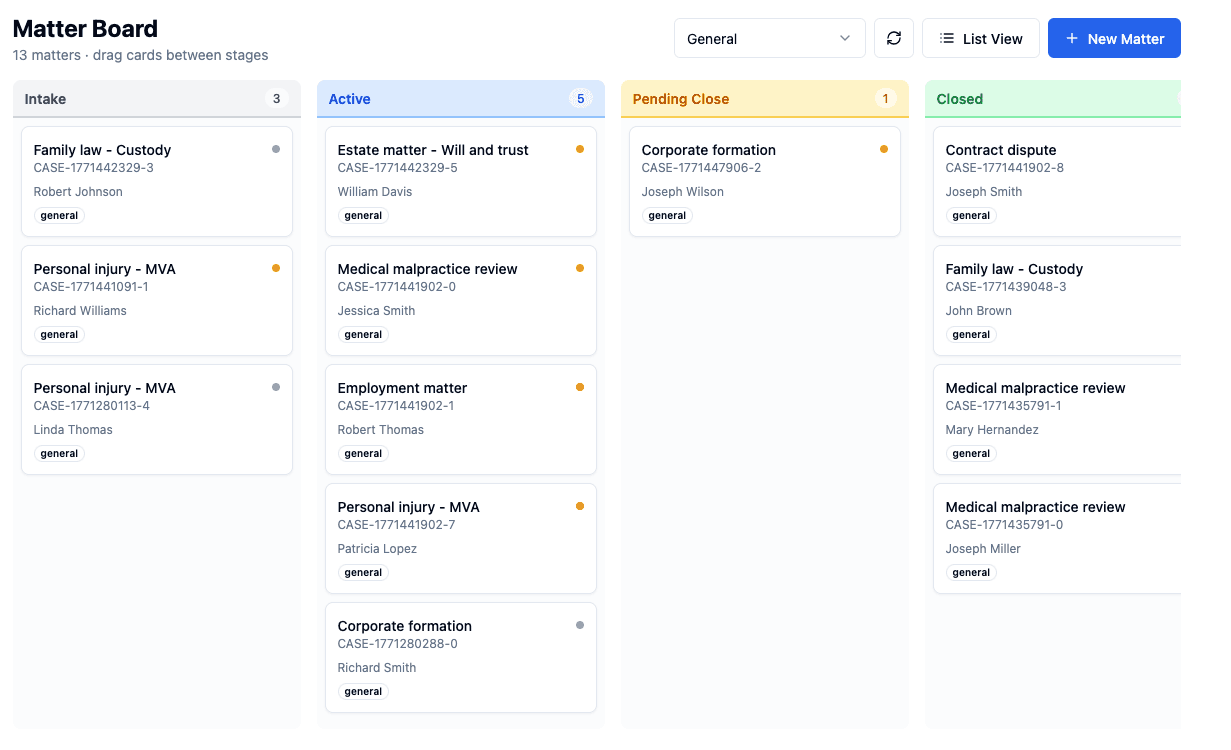
A Kanban board for your matters.
Switch from the firm health matrix to a visual pipeline in one click. Drag matters between stages — Intake, Active, Litigation, Settlement — with stages configured per practice type.
- Configurable stages per case type (PI, corporate, family law)
- Drag-drop between columns — stage update is instant
- Priority dots, client context, billing totals on every card
- Seeded templates for the most common practice areas
Your portfolio, one click away.
We'll walk through it with your actual clients and matters — you'll see exactly how it changes your day.